

Technical Writer
Call Outcomes, Filtered Notifications, and New Agent Reporting Tools
New Call Outcomes in Call History
Until now, call statuses told you the broad result of a conversation. Useful, but sometimes not enough.
This release introduces Call Outcomes, a new column inside Call History that adds another layer of detail. Think of it as context on top of the status. Instead of only seeing whether a call connected or ended, you can now see how it played out.
Outcomes help surface patterns much faster. You can identify what’s working, spot problems early, and decide what the next step should be without digging through notes or listening back to recordings.
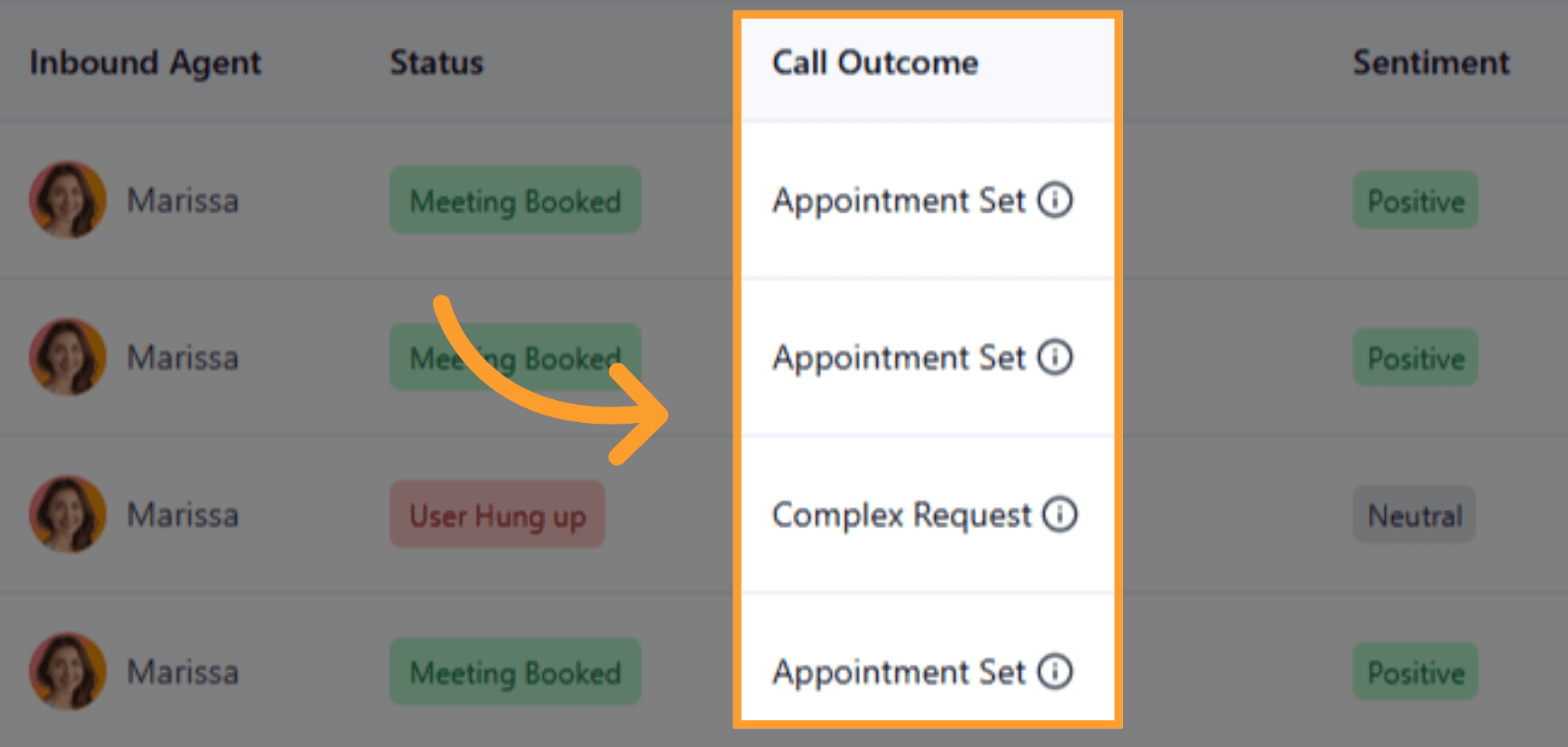
Helpful tooltips are included so each outcome is easy to understand at a glance.
Daily Agent Reports, Sent Automatically
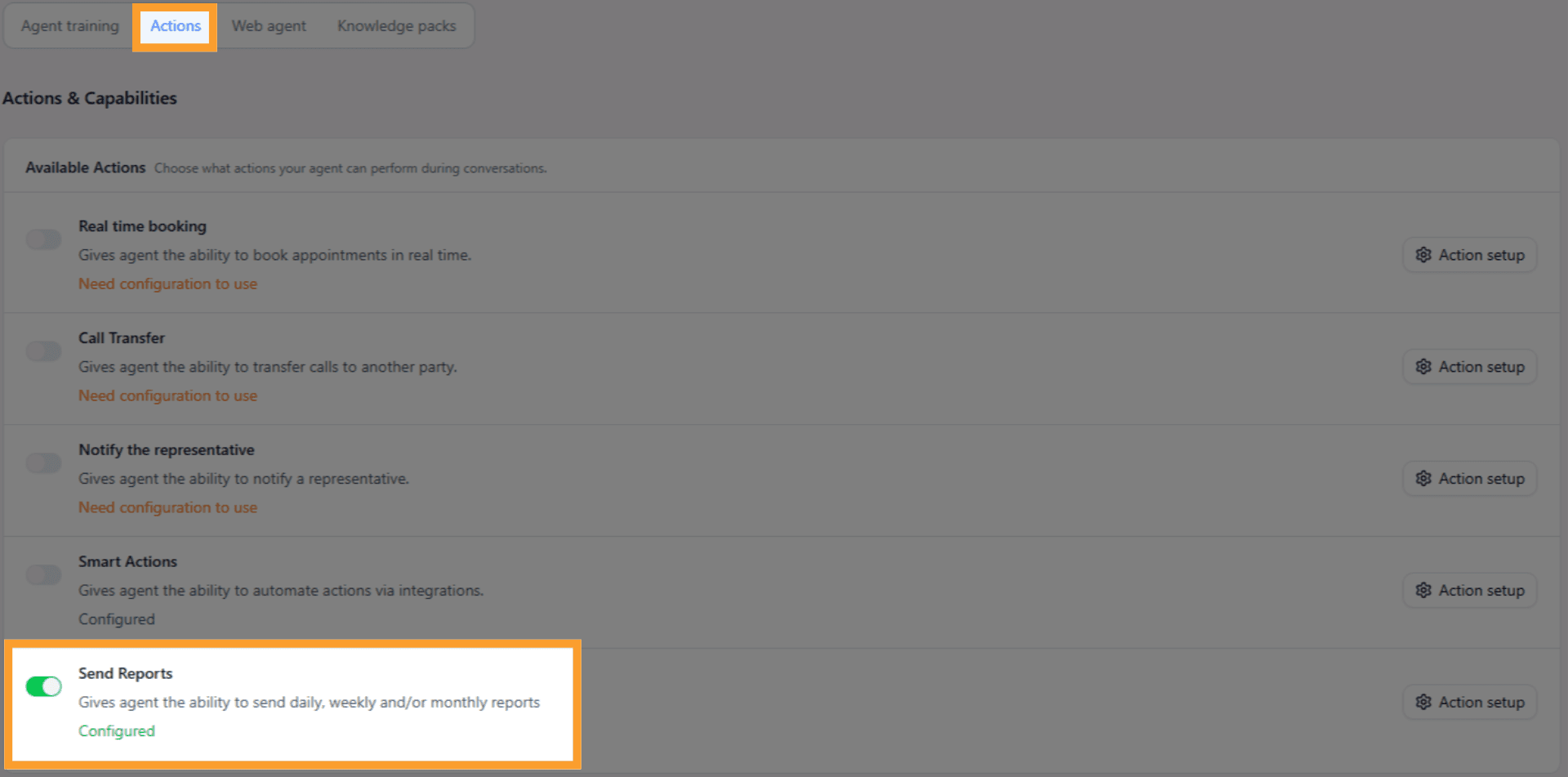
Another addition in this release is the new "Send Reports" action.
You can now enable automated reports for each agent and send them to up to 10 recipients, so your team gets a daily snapshot without needing to open the dashboard.
Filtered Email Notifications
Our "Notify the Representative" also received a meaningful upgrade, so you can avoid flooding your inbox and only get alerted when something specific happens.
Instead of notifications always firing for every completed call, you can now set rules around what triggers an email. Meaning getting alerts only for certain call results among any status, outcome or sentiment for accurate follow-ups.
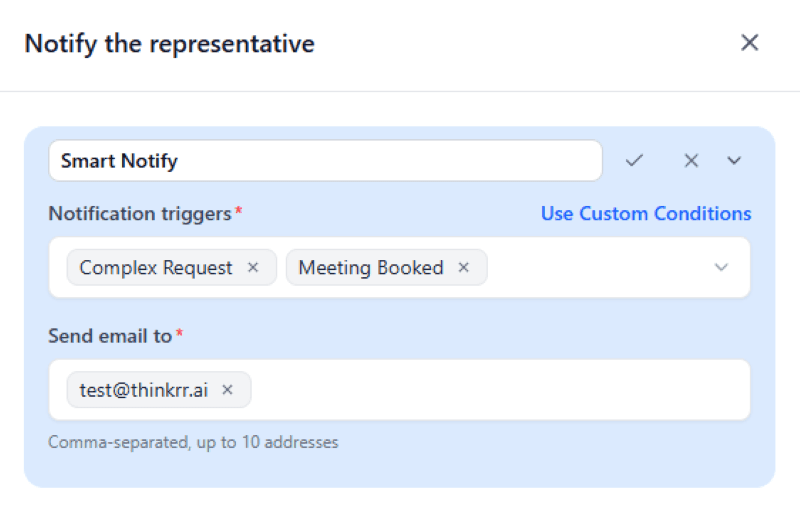
You can also assign up to 10 recipients to each one, so the right members of your team get notified.
Share Your Agents
We’ve also made it easier to show your agents to others.
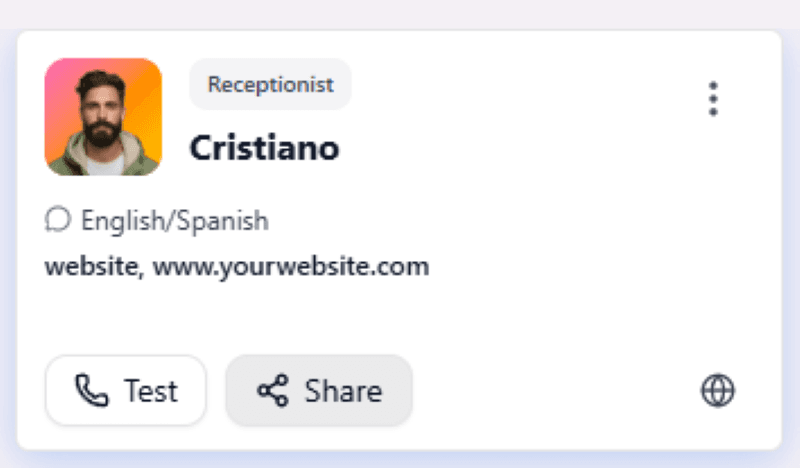
A new Share option allows you to send an agent directly through:
Email
Text message
A simple copy-to-clipboard link
If the agent supports multiple contact methods, you can choose which one to share. This makes it much faster to send demos to clients, teammates, or partners without walking them through setup.
Smoother Test Calls
Finally, we made a small but helpful improvement to the test call interface.
Live indicators now clearly show when the agent is speaking versus listening, which makes testing much easier to follow in real time.
Final Thoughts
Call outcomes give you a better understanding of how conversations end. Automated reports and filtered notifications help you act on that information faster. And sharing makes it easier to get an agent in front of the people who need to see it.
Together, these updates make it simpler to understand what’s happening across your calls and respond faster when it matters.
More improvements are already on the way.